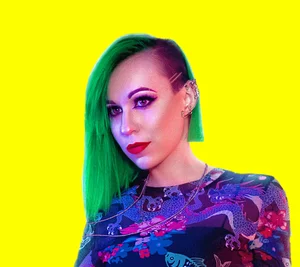
Create your own sci-fi team with ATLABS AI! Motion Control tutorial
Hey, fellow cyber dreamers!
Being able to bring different characters to life was something I always wanted to do.
The Motion Control is insane - it picks up every hand gesture and eye roll perfectly!
How I Created an Entire Sci-Fi Cast Using Just AI (And My Own Bad Acting)
Have you ever had a movie idea in your head, but you lacked the budget, the crew, or - let’s be honest - the friends willing to dress up as aliens for you? :D
I recently faced this exact problem. I wanted to create a sci-fi comedy skit featuring a rugged space marine, a sassy time-traveler, and a malfunctioning droid. The problem? I am just one person.
Enter Atlabs AI Motion Control.
This tool allowed me to film myself in my living room and map my exact performance onto AI characters. I rolled my eyes, and the sassy time traveler rolled his. I punched my hand, and the cyber marine punched his. It’s like digital cosplay on steroids.
Here is exactly how I did it, and how you can do it too!
What is Motion Control?
In the past, doing this required motion capture suits, green dots on your face, and expensive VFX software.
Atlabs Motion Control simplifies this into a drag-and-drop workflow. It takes two inputs:
A Reference Video: You acting out the movement.
A Character Image: A static AI image of who you want to be.
The AI then animates the static image using your video as the driver.
The Tutorial: Step-by-Step
Step 1: Film Your Source Video
This is the fun part. You need to record the movements you want your character to perform.
Tip: You don't need a professional studio. I filmed mine against a simple green screen, but a plain wall works too.
Act it out: If your character is a heavy brute, move slowly and aggressively. If they are a nervous robot, use twitchy, stiff movements. The AI picks up on these subtleties!
Step 2: Create Your Characters
Next, head over to the "Create Image" tool in Atlabs.
Model Selection: I highly recommend using Seedream 4.5. I found it gave great photorealistic texture for sci-fi skin and armor.
The Prompt: Be specific! Don't just say "cool robot." Describe the scratched metal, the glowing neon visor, and the background lighting.
Example: "A wide-angle landscape photograph of a hyper-modern, advanced heavy-duty humanoid Protocol Droid standing center frame, facing forward in a cluttered cyberpunk hacker den. The droid features an imposing, broad-shouldered design with robust, segmented plating mimicking heavy armor and musculature. It is crafted from matte dark gunmetal gray composite and brushed metallic steel alloys that catch the neon light. Instead of exposed mechanics, it has heavy-duty integrated joints and subsurface glowing blue light strips pulsing rhythmically along its thick chassis and limbs. Its head is an angular, armored geometric dome with a reinforced, seamless sweeping holographic blue visor display. It is connected wirelessly to the servers, standing powerfully amidst the chaos. The droid stands amidst a chaotic array of technology: curved monitors displaying scrolling neon purple and blue code, open server towers with blinking pink indicator lights, and workbenches covered in disassembled tech. The lighting is realistic but high-contrast cinematic chiaroscuro, with deep, crushing shadows concealing corners. The primary illumination comes from neon signs outside a slatted window casting intense magenta and violet light onto the droid's metallic surface, mixed with the cool cyan glow of the screens. Thick atmospheric haze hangs in the air, creating volumetric colored light rays. The overall color grading is a vibrant Blade Runner aesthetic, dominated by saturated hues of deep electric purple, neon pink, and cyan blue against deep inky blacks. Cinematic film grain, 8k render, ultra-detailed textures."
Step 3: Bring It to Life
Now, go to the Motion Control tab.
Upload Reference Video: Upload the clip of you acting (from Step 1).
Select Character: Choose the AI image you generated (from Step 2).
Generate: Hit the button and wait for the magic.
The AI will analyze your facial expressions, head tilts, and hand gestures and apply them to the character model.
Step 4: Edit and Assemble
Once you have your clips, just edit them together like a normal video! Since I played all characters, I just cut between the different generated clips to create the illusion of a team meeting. I key-ed out myself and made my background match all my characters, added some extra effects such as holograms, texts to describe each character and sound effects to bring it all together and voila! Video done!
Why I Love It
In the past I was considering purchasing motion capture suit and software, but the price was something I could never justify spending for just a hobby of making my silly videos. But now, I don’t have to!
The craziest part isn't just that it works—it's that it keeps the personality. And it will only get better and better!
If you are an indie filmmaker, a content creator on a budget, or just someone with a wild imagination, you need to try this workflow.
Check it out here: app.atlabs.ai/motion-control
Tag me if you create your own squad—I want to see what you come up with!